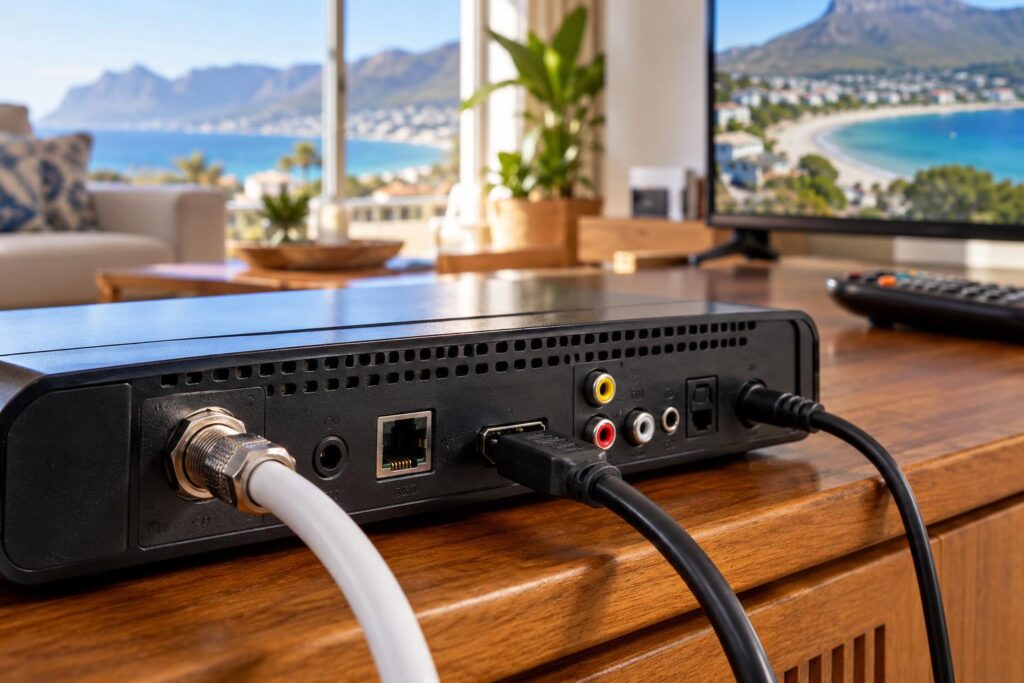
The DStv installation wizard does the same basic job on every decoder: it learns how your dish is wired, checks the signal and builds your channel list. What changes between an Explora and an older HD decoder is the hardware behind it, and that's where most setup problems in Fish Hoek begin. Here's how the two compare.
Quick answer: The DStv installation wizard runs on both Explora and older single view decoders, but the Explora asks more of your dish. An older HD decoder needs one tuner to show signal from a single LNB. An Explora needs all three tuners to show signal, fed by a DStv Smart LNB, before you press OK.
Same wizard idea, different hardware behind it
Think of the wizard as a handshake between the decoder and the dish. The decoder asks a few questions, listens for the satellite and then fills in the channel list. On an old box that handshake is simple. On an Explora there's more going on.
The reason is tuners. A tuner is the part of the decoder that receives one stream of signal. More tuners let you record one show while you watch another, and the wizard has to check every one of them.
The DStv installation wizard on older HD decoders
Older single view decoders, like the HD boxes many Fish Hoek families have had for years, work off a single LNB. DStv's own help pages describe the single LNB as the type used with its single view decoders. One cable runs from the dish to the back of the box.
That keeps the wizard short. You confirm a few basics, the decoder checks its one signal path and the scan follows. When it fails, the list of suspects is short too:
- the dish has been pushed off line, often by a strong south-easter, and needs dish realignment
- a connector at the dish has corroded in the salt air
- the cable has been damaged on its way down the outside wall
- heavy rain is fading the signal for a while
The DStv installation wizard on an Explora
The Explora is a PVR, so it has three tuners. DStv's Explora quick guide says to wait for all three tuners to show signal on the setup screen before pressing OK. If one stays empty, the box isn't ready, even when the other two look healthy.
To feed those tuners, DStv recommends a DStv Smart LNB with an 80cm dish for every Explora model. You'll find that advice on DStv's page about the recommended Explora Ultra installation. The Smart LNB sends several signals down one cable, which is why the DStv Explora installation wizard has to be told it's there.
Two more things catch people out. The decoder still has to be activated on your account once setup is done. And Catch Up and BoxOffice start empty, then fill up over time after installation, so a bare Catch Up menu on day one is normal.
What the Explora Ultra adds
The Explora Ultra follows the same rule on the dish side. It adds built-in WiFi and streaming apps, but those come after the wizard and don't affect the satellite scan. Our Explora vs Explora Ultra guide covers the other differences.
Explora vs older decoders: the DStv installation wizard side by side
| Wizard detail | Older HD single view | Explora and Explora Ultra |
|---|---|---|
| LNB on the dish | Single LNB | DStv Smart LNB |
| Tuners on the signal screen | One | Three, and all must show signal |
| Cable from the dish | One | Usually one, from the Smart LNB |
| Most common snag we see | Dish knocked off line | Old single LNB left on after an upgrade |
| In a shared complex | Settings must match the building system | Smart LNB not suitable, building system used instead |
| Straight after the wizard | Live TV starts | Live TV starts, Catch Up fills over time |
Need a hand in Fish Hoek?
Tell us what you need or what your screen shows. We give you a clear price before we drive out.
Call 079 754 5527WhatsApp usBook onlineUpgrading from an older decoder: where the wizard trips up
Most Explora setup trouble we see comes from upgrades, not new installs. Someone buys an Explora, plugs it into the cable that fed the old HD box and runs the setup. The old single LNB can't feed three tuners, so the signal screen never fills.
The fix is hardware, not settings. The LNB gets swapped for a Smart LNB and the dish is checked. Our page on the Smart LNB for Fish Hoek homes explains when one is needed, and our Explora installation team fits and tests it.
Before you run the wizard on a newly bought Explora, tick off these points:
- The dish has a Smart LNB fitted, not the single LNB from the old decoder.
- The cable from the Smart LNB goes straight into the Explora, without a leftover splitter in between.
- Your old decoder is no longer linked to anything in XtraView.
- You know whether your home has its own dish or shares a building system.
- You have your account details handy for activation afterwards.
XtraView adds another twist. DStv's quick guide says that if an Explora is replacing one of your XtraView decoders, you must contact MultiChoice to break the link first, before you disconnect the cable joining them. Skip that and you may end up chasing linking errors, which our XtraView heartbeat fixes cover.
Installation wizard step 4 poor signal on either box
On both kinds of decoder, the screen many people call step 4 of 5 is where signal gets checked. A poor signal warning there points to the dish or cable, whichever box you own.
In Fish Hoek the usual causes are local. The south-easter funnels down the valley and can nudge a dish that wasn't fixed firmly, and our article on south-easter dish myths explains why. Sea-facing flats in Clovelly and Glencairn see connectors corrode, so stopping salt air corrosion is worth a read.
Homes in Sun Valley and Sunnydale close to the mountain can also have a limited view of the north-east sky. The dish has to see the Intelsat 20 satellite at 68.5 degrees East, and a tall tree or a new building can block that.
Safety first: Please leave the dish to us. Wind in Fish Hoek can catch a ladder or a dish without warning, and lining up a dish needs a signal meter. Don't open the decoder or loosen any LNB connections either.
DStv installation wizard settings in flats and complexes
Many Fish Hoek retirees and families live in sectional title blocks with one shared dish. DStv says the Smart LNB isn't suitable for complexes and apartments, so an Explora in a flat runs off the building's own distribution system.
That changes the wizard. The settings have to match the building system, not a private dish, and the right values depend on how that system was put in. If your Explora won't scan in a complex, our communal dish installations team can check it.
Book a decoder setup in Fish Hoek
If the wizard still won't finish, call a technician rather than buying another decoder. Our new DStv installation service includes the right LNB, alignment and a full wizard run with you watching, and we quote before we drive out. Find out more about our DStv installers in Fish Hoek, who also cover Kalk Bay and Noordhoek.
Call or WhatsApp 079 754 5527, or book a technician online. We can often come the same or next day, depending on the schedule.
Talk to our Fish Hoek team
We work across Fish Hoek, Clovelly, Sun Valley, Kalk Bay, Sunnydale and nearby. Call or WhatsApp us and we will tell you the practical next step.
Call 079 754 5527WhatsApp usBook onlineDStv installation wizard: FAQs
Is the DStv installation wizard different on an Explora?
The idea is the same, but the Explora checks three tuners instead of one. You need to wait until all three show signal before pressing OK. It also expects a DStv Smart LNB on the dish, while older single view decoders run off a single LNB.
Why is my DStv Explora stuck on the installation wizard?
Usually one or more of its three tuners isn't getting signal. After an upgrade, the most common cause is an old single LNB still on the dish. Other causes are a dish knocked out of line, a corroded connector or the wrong settings on a shared complex system.
Do I need a new dish when I upgrade to an Explora?
Not always. DStv recommends a Smart LNB with an 80cm dish for Explora models, so the LNB nearly always changes. A technician checks whether your existing dish is the right size and still in good shape before reusing it.
What happens after the Explora setup finishes?
Live TV starts once the scan is done and the decoder is activated on your account. Catch Up and BoxOffice begin empty and fill over time, which is normal. You can then connect the Explora to the internet for the extra connected features.
Who sets up Explora decoders in Fish Hoek?
Our local team installs and sets up Explora and Explora Ultra decoders across Fish Hoek, Clovelly, Kalk Bay and the South Peninsula. We fit the right LNB, align the dish on a meter, run the wizard with you and quote before we drive out.