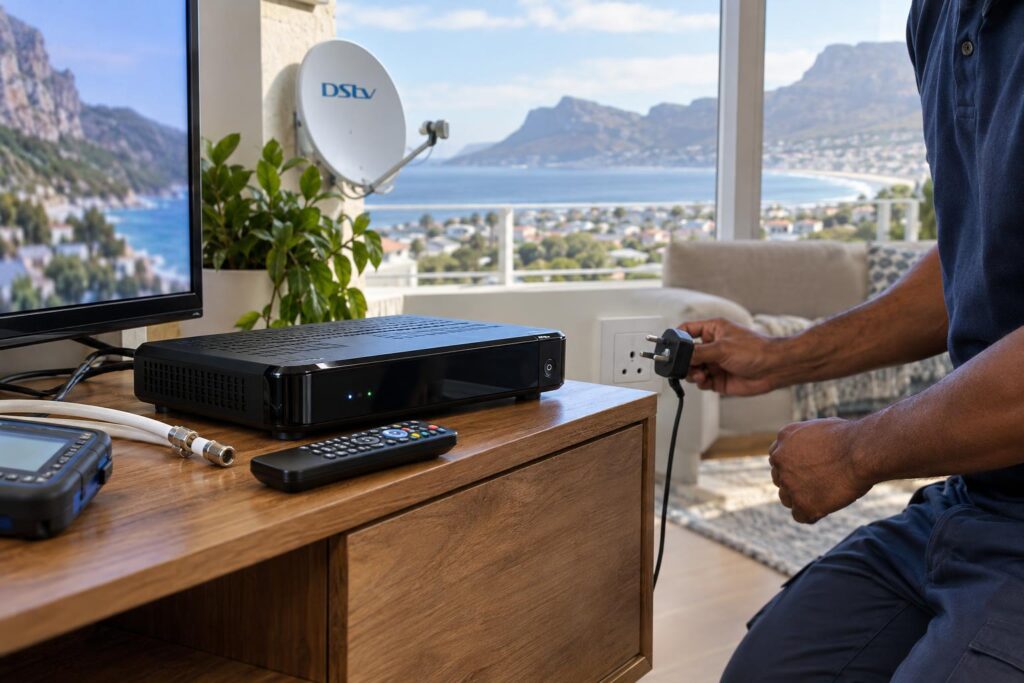
When DStv fails after load shedding, the cause is not always the satellite dish. A television may return on the wrong input, a decoder may need time to start, the router may still be offline or a power surge may have affected one component. Restarting everything repeatedly can hide the pattern and make diagnosis harder.
This Fish Hoek recovery guide follows a safe sequence from power to picture. It is designed for normal household checks only. If you notice a burning smell, damaged plug, heat, sparks or visible electrical damage, switch off at a safe point and use a qualified electrical professional. Do not open a decoder, power supply or distribution unit.
Step 1: Confirm that power is stable
Wait until the electricity supply has returned and appears stable. Check whether other devices on the same circuit are working. Make sure the television, decoder, router and any signal distribution equipment are receiving power. A wall socket, multiplug or surge protector can fail even when the rest of the room has electricity.
Look at the decoder’s front indicators and listen for unusual cycling. If it repeatedly starts and stops, disconnect it from power and arrange DStv repair and fault finding. Do not keep forcing restarts when a power supply appears unstable.
Step 2: Restore devices in a sensible order
Turn the television off, disconnect the decoder from power and wait briefly. Restore the decoder, allow it to complete its startup, then switch on the television and choose the correct HDMI input. If the setup includes network equipment, let the router and any WiFi nodes finish booting before testing connected services.
An Explora installation can take time to restore all guide and connected functions after an interruption. Live satellite television and internet-based features rely on different paths, so one may work before the other. A blank app or missing Catch Up connection does not automatically prove a dish fault.
Step 3: Read the on-screen symptom carefully
Note the exact message and whether all channels or only some are affected. Also check whether another connected television works. A no-signal message generated by the TV often indicates the wrong input or no HDMI output. A decoder error points to a different part of the chain. Take a photo before restarting again because the wording helps a technician narrow the cause.
If signal errors appeared after wind as well as load shedding, the timing may be coincidental. The south-easter can expose a loose bracket or marginal angle. Measured DStv dish alignment is appropriate when signal quality is low or unstable, but the technician should still check cable and connectors.
Step 4: Check accessible connections without climbing
Inspect only cables and plugs that can be reached safely at floor or cabinet level. Ensure HDMI and power leads are firmly seated and that a loose cable has not been pulled during cleaning or equipment movement. Do not climb onto a roof or lean from a window to reach the dish. Wet roofs and strong wind make this especially dangerous.
In an XtraView setup, compare the behaviour of both viewing points. If one works and the other does not, record which decoder and room are affected. Avoid resetting settings at random because decoder pairing, signal distribution and communication between devices may need structured checks.
Step 5: Separate WiFi problems from satellite problems
Test whether another device can access the internet near the router. If no device connects, focus on the router, fibre or LTE service before changing DStv settings. If internet works near the router but not at the television, the problem may be coverage. A WiFi network assessment can identify dead zones and slow recovery in mesh or repeater systems.
Fish Hoek’s older brick homes can weaken wireless signals between rooms. Router placement, wall thickness, interference and backhaul all matter. A planned network is more reliable than adding repeaters until the signal bars look stronger.
When equipment may need replacement or reinstallation
A single power event can reveal an older power supply, damaged HDMI port or failing distribution component. Diagnosis should come before replacement. If a system is outdated or repeatedly unreliable, a properly scoped new DStv installation may be better value than accumulating temporary repairs.
If the television itself was moved during the outage or renovation, use TV mounting and cable management to secure the screen and keep power and signal leads free from strain. A full DStv relocation is appropriate when equipment must be transferred to another room or property and retested.
Backup viewing and connected-home resilience
Some households want a viewing option that does not depend on the same subscription equipment. Openview installation may provide a suitable free-to-air satellite option, while TV aerial installation can support available terrestrial broadcasts. Neither removes the need for electricity, but a correctly planned backup power source can support selected low-draw devices.
Do not connect an entire entertainment or security system to a small backup unit without checking load and runtime. Cameras, recorders, routers, screens and decoders all add demand. A CCTV system should have a deliberate power and recording strategy so that short outages do not create avoidable coverage gaps.
Flats, guesthouses and commercial premises
In a flat, a post-outage signal problem may originate in a shared amplifier or distribution cabinet rather than the unit. Report patterns across several apartments and request communal system testing through the body corporate or managing agent. Residents should not adjust common equipment independently.
Guesthouses, restaurants and offices need a documented restart sequence. Commercial DStv support should identify critical screens, equipment locations and who may safely reset each device. Labelling power supplies and cables can reduce confusion when staff change shifts.
Prepare for the next interruption
- Label decoder, television, router and network power supplies.
- Keep a photo of normal cable connections.
- Use correctly specified surge protection and follow its replacement guidance.
- Write down the preferred startup order.
- Keep equipment ventilated and avoid overloaded multiplugs.
- Record recurring errors, times and weather conditions.
A calm, repeatable sequence protects equipment and produces better information if professional help is required. It also prevents an internet outage, wrong TV input or shared-building fault from being mistaken for a dish problem.
Frequently asked questions
Why does my TV say no signal after load shedding?
The television may be on the wrong input, the decoder may still be starting or an HDMI or power connection may be loose. Identify whether the message comes from the TV or decoder before changing settings.
Should I reset my DStv decoder after every outage?
No. Allow a normal restart first. Repeated resets can complicate troubleshooting and will not repair a damaged power supply, cable fault or misaligned dish.
Can load shedding move a satellite dish?
No, but wind occurring around the same time can move an insecure mount. A power interruption may also make an existing marginal signal problem more noticeable after restart.
Why is live TV working but connected services are not?
Live satellite channels and internet features use different connections. The router or home network may still be recovering even though the satellite signal is fine.
When should I call a technician?
Call when the decoder cycles repeatedly, error messages persist after one orderly restart, signal remains unstable, accessible connections are sound or several parts of the system fail together.